
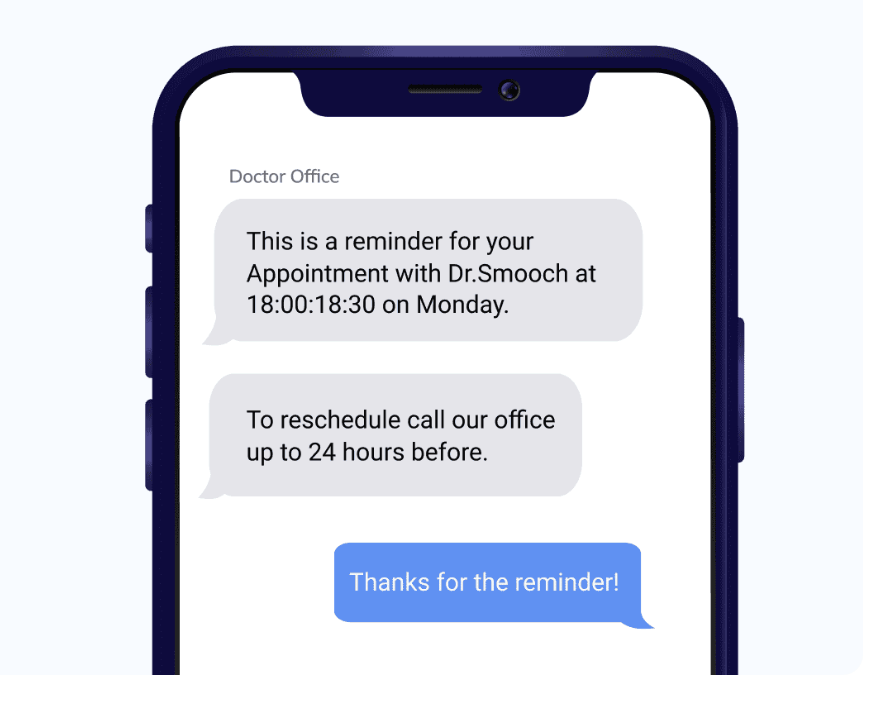
SMS appointment reminders reduce no-shows by giving people a timely nudge they can act on: send a confirmation when the appointment is booked, a reminder 24 to 48 hours before, and for short-notice or high-value slots a brief same-day message, with a simple way to confirm or reschedule by reply. A Cochrane review of randomised trials found that text reminders improved attendance compared with no reminder and worked about as well as phone calls.
This guide covers the evidence, the timing that works for different kinds of appointment, what to put in each message, how two-way confirmations work, and 12 templates you can adapt. Everything here can be automated with the SMS API or scheduled from the SMS.to web platform.
Do SMS reminders actually reduce no-shows?
The best independent evidence comes from healthcare, where missed appointments are studied closely. The Cochrane review Mobile phone messaging reminders for attendance at healthcare appointments (published December 2013) found:
- Text message reminders improved attendance compared with no reminders (risk ratio 1.14, 7 studies, 5,841 participants, moderate-quality evidence).
- Text reminders had a similar effect to phone call reminders (risk ratio 0.99, 3 studies, 2,509 participants), with attendance of 78.6% for texts and 80.3% for calls.
A text costs far less staff time than a phone call, so for most businesses the practical question is not whether to send reminders but how to time and word them. The same logic applies outside healthcare: salons, garages, tutors, restaurants and field service teams all lose revenue when a slot goes empty. Measure your own no-show rate for a month before you start and again after, so you know what the reminders are worth to you.
Reminders also help in a second way. When cancelling is as easy as replying to a text, people who cannot come tell you in time, and you can offer the slot to someone else.
When should you send appointment reminders?
One reminder 24 hours before is the baseline. Add messages when the appointment is booked far ahead, needs preparation, or is expensive to lose.
| Message | When to send | Purpose |
|---|---|---|
| Booking confirmation | Immediately after booking | Confirms the details and gives a link to manage the booking |
| Early reminder | 48 to 72 hours before | Leaves time to reschedule and to follow any preparation instructions |
| Main reminder | 24 hours before | Asks for a confirmation by reply |
| Same-day reminder | 1 to 3 hours before | Short nudge for same-day or high-value appointments |
| Follow-up | After the appointment or a missed slot | Rebooking, feedback or a new time |
Match the schedule to the business. A dental practice booking weeks ahead benefits from the early reminder; a restaurant usually needs only a same-day message; a field service visit works best with a reminder the day before and an “on the way” text.
Always send in the customer’s local time. A 24-hour reminder for a 9am Monday appointment should not arrive at 9am on Sunday if that is outside the hours your customers expect to hear from you; send it on Saturday afternoon or Sunday evening instead.
What should an appointment reminder include?
- Who it is from. Start with your business name. If you send from a number, customers will not recognise it otherwise.
- When. Day, date and time together (“Wed 14 Oct at 10:30”). A day name without a date causes confusion around weekends and holidays.
- Where. An address or short location note if customers visit more than one site.
- What to do. One clear action: reply C to confirm, R to reschedule, or follow a link.
- Nothing sensitive. Texts appear on lock screens and shared phones. Do not name a treatment, test or department. Health information is special category data under UK GDPR, as the ICO explains, so keep clinical detail out of the message.
Keep each reminder inside one 160-character GSM-7 segment. Avoid emoji and curly quotes, which switch the message to Unicode and cut the limit to 70 characters. Our guide to SMS character limits explains how segments are counted.
Pure reminders about an appointment the customer booked are service messages. If you add offers, review requests or rebooking promotions, the message becomes marketing and needs consent and an opt-out; see our SMS compliance guide.
How do two-way confirmations work?
A reply such as C, R or X only works when the reminder comes from a number that can receive messages. An alphanumeric sender ID such as your business name cannot receive replies, so for confirmations you send from a rented virtual number instead. The flow is:
- Send the reminder from your virtual number with a clear instruction (“Reply C to confirm or R to reschedule”).
- Receive replies on a webhook and match each one to the booking by the customer’s number.
- Update the calendar: mark C as confirmed, release the slot on X, and trigger a rebooking link or a call-back on R.
- Handle anything else (“running 10 min late”, “who is this?”) by routing it to a person.
Accept lower-case and full words (“c”, “yes”, “confirm”), and send a short acknowledgement so the customer knows the reply was received. For more on keyword replies and autoresponders, see our guide to two-way SMS.
12 SMS appointment reminder templates
Words in square brackets are placeholders. Counts assume a 12-character business name, a 10-character first name, 9 characters for the day, 10 for the date, 7 for the time, 25 for the address, 10 for a staff name, 13 for a phone number and a 23-character short link. On those assumptions each template fits one GSM-7 segment. Square brackets count as two characters in GSM-7, so replace every placeholder before sending, and recount if your real values are longer.
Templates 2, 3, 8 and 10 ask for a reply, so they need a two-way number. Template 12 is a rebooking prompt rather than a reminder about an existing booking, so it is marketing and carries an opt-out line.
| # | Template | Characters | Segments |
|---|---|---|---|
| 1 | [Brand]: Hi [Name], you’re booked for [Day] [Date] at [Time]. To view or change your booking: [Link] | 135 | 1 |
| 2 | [Brand]: Reminder: your appointment is on [Day] [Date] at [Time], [Address]. Reply C to confirm or R to reschedule. | 145 | 1 |
| 3 | [Brand]: See you tomorrow at [Time], [Name]. Reply C to confirm, R to reschedule or X to cancel so we can offer the slot to someone else. | 147 | 1 |
| 4 | [Brand]: Your appointment is today at [Time] with [Staff]. Running late or can’t make it? Call [Phone]. | 118 | 1 |
| 5 | [Brand]: Before your visit on [Date] at [Time], please arrive 10 minutes early and bring photo ID. Questions? Call [Phone]. | 139 | 1 |
| 6 | [Brand]: Your engineer will arrive on [Date] between 8am and 12pm. We’ll text when they’re on the way. Need to change it? [Link] | 154 | 1 |
| 7 | [Brand]: [Staff] is on the way and should be with you in about 30 minutes. Please make sure someone is in. | 114 | 1 |
| 8 | [Brand]: Your table for 4 is booked for [Time] on [Date]. Reply YES to confirm or NO to cancel. We hold tables for 15 minutes. | 136 | 1 |
| 9 | [Brand]: Your place in the [Time] class on [Day] is confirmed. Can’t make it? Cancel by 6pm today to free your spot: [Link] | 150 | 1 |
| 10 | [Brand]: Done. Your appointment has moved to [Day] [Date] at [Time]. Reply R if you need to change it again. | 122 | 1 |
| 11 | [Brand]: Sorry we missed you today, [Name]. Book a new time that suits you here: [Link] | 113 | 1 |
| 12 | [Brand]: Hi [Name], you’re due your next visit. Book a time that suits you: [Link] Reply STOP to opt out | 130 | 1 |
How do you automate reminders with an API?
Most teams connect reminders to their booking system: when an appointment is created or changed, the system schedules the matching messages. With the SMS.to API you can schedule a message at creation time by adding scheduled_for and timezone to a send request, and receive delivery status updates at your callback_url:
curl -X POST https://api.sms.to/sms/send \
  -H "Authorization: Bearer YOUR_API_KEY" \
  -H "Content-Type: application/json" \
  -d '{
    "messages": [
      {
        "message": "Reminder: your appointment is on Wed 14 Oct at 10:30. Reply C to confirm or R to reschedule.",
        "to": "+447700900123"
      }
    ],
    "sender_id": "+447700900000",
    "callback_url": "https://example.com/sms/status",
    "scheduled_for": "2026-10-13 10:30:00",
    "timezone": "Europe/London"
  }'
Build three rules into your integration. First, never remind someone about a booking that has moved: if bookings change often, hold reminders in your own job queue and send each one when it falls due, rather than scheduling it days ahead. Second, check the delivery report for each reminder: if it failed, fall back to email or a call for high-value appointments. Third, keep a record of each confirmation reply against the booking so staff can see who has confirmed.
How SMS.to handles appointment reminders
SMS.to, operated by the licensed telecom operator Intergo Telecom, supports the whole reminder flow from one account. You can schedule reminders through the SMS.to SMS API or the web platform, rent virtual numbers for two-way confirmations, receive replies and delivery reports on webhooks, and add tracked short links for rebooking. Personalisation tags insert names, dates and times, and ready-made integrations include Zapier, Salesforce and an official SMS add-on for Salon Booking, so you can connect reminders to your calendar or CRM without building everything from scratch.
If your customers use Viber, you can also send reminders on Viber with SMS as a fallback from the same platform.
FAQs
How far in advance should I send an appointment reminder?
24 hours before is the standard. Add a 48 to 72-hour reminder for appointments booked weeks ahead or that need preparation, and a same-day message 1 to 3 hours before for short-notice or high-value slots.
Do appointment reminders need an opt-out line?
A pure reminder about a booking the customer made is a service message and does not usually need one. If the text includes offers or rebooking promotions, treat it as marketing and include consent and an opt-out.
Can customers reply to confirm or cancel?
Yes, if you send from a virtual number that can receive messages. Alphanumeric sender IDs cannot receive replies. Route the replies to your booking system with a webhook and acknowledge each one.
What should I leave out of a reminder?
Anything sensitive, such as the type of treatment or test. Messages appear on lock screens and shared devices, so give the day, date, time and place, and keep other details for the appointment itself.
Start cutting no-shows this week. Create a free account, no credit card needed, and send your first scheduled reminder in minutes.
