Support teams are under pressure to do two things at once: You need to respond fast, and you need to respond in the channel your customers will actually use. That’s why the WhatsApp Business app, the WhatsApp Business API, and SMS notification flows keep coming up in CX planning sessions.
In this blog, you will learn when WhatsApp Business and SMS make the most sense for support, and how the rules of each channel shape your operations. We’ll go over:
- How the WhatsApp Business app and Business API differ in real support workflows
- When SMS notifications are the better choice for urgent reach and simple updates
- How to plan templates, follow-ups, and a reliable fallback for login and alerts
What You Are Really Choosing Between
Most teams talk about WhatsApp versus SMS as if it is a single decision. In practice, you are choosing between three different things:
WhatsApp Business App
This is the small business route. It is an app your team uses directly, with built-in features to manage chats and basic automation.
It comes with features like away messages, quick replies, and labels to help you manage common questions and organise conversations. It also supports a product catalog in the app, which can reduce back-and-forth when customers ask what you sell.
It is simple to start, which is the point.
WhatsApp Business API
This is the scale route. It is not an app, but a collection of solutions that developers use to integrate messaging into backend systems like CRM and support tools.
That difference changes things. With the WhatsApp Business API, you can connect conversations to tickets, route chats to the right queue, trigger proactive updates, and measure response times across agents.
SMS Notifications
SMS is not a chat app. It is a network-level messaging channel that works over cellular infrastructure and does not depend on a customer having mobile data or installing anything. A simple way to understand it is that SMS runs on mobile network signalling channels, using infrastructure already in place for voice services.
That is why SMS is still the default channel for many alerts and time-sensitive updates, even when a brand also supports WhatsApp.
Differences That Matter In Support
WhatsApp is now used by more than 3 billion people worldwide, so it is often the first place customers try to reach you. At the same time, SMS still reaches almost any mobile number, including moments when your customer has no data or is not actively using an app.
The connectivity gap remains though. Even where coverage exists, many people do not reliably use mobile internet. Reuters reported that 96% of the world’s population lives within range of mobile internet, yet over three billion people remain unconnected because of affordability, skills, and other barriers.
Here is what tends to matter most for support leaders and CX managers:
Reach And Availability
WhatsApp has massive reach, but it still depends on customer conditions. They need the app, they need to be able to receive messages, and they usually need data connectivity.
SMS is more universal. If you can deliver to a mobile number, you can deliver to the customer even if they are on a basic phone or temporarily offline.
By the end of 2023, 5.6 billion people had already subscribed to a mobile service, while 4.7 billion also used mobile internet. That’s hundreds of millions of people that can receive SMS but may not always be online. “Online by default” is not a safe assumption for every customer segment.
Conversation vs Notification
If the customer’s problem needs a back-and-forth, WhatsApp is often the smoother experience. You can ask follow-up questions, send images, and guide them step by step. Basically, WhatsApp is best when you need a conversation to reach a resolution.
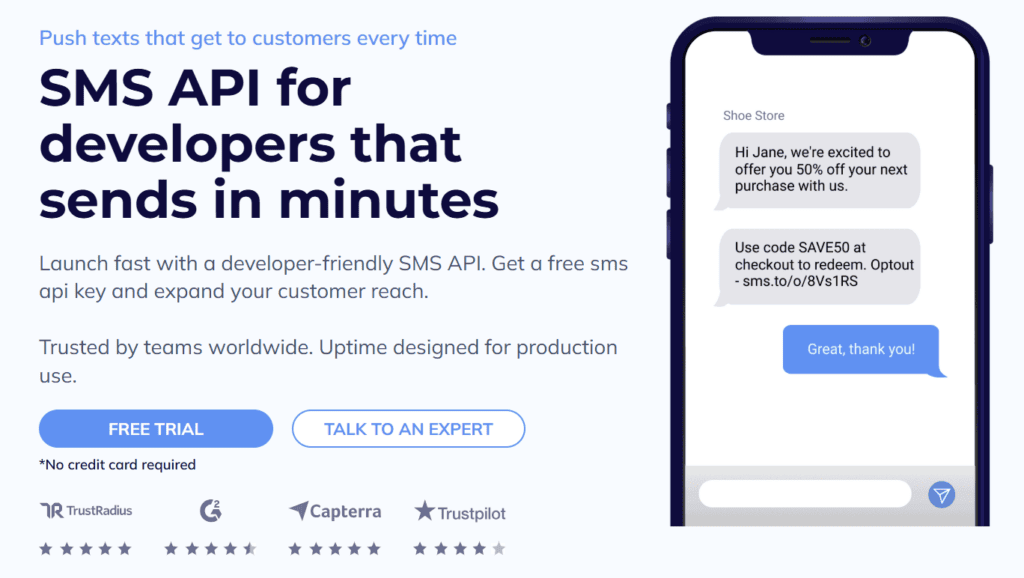
If the goal is a fast heads-up, SMS notifications fit naturally. That’s the likes of delivery changes, appointment reminders, one-time links, or incident alerts.
Speed Of Attention
SMS still earns its place in urgent support and alerts because it gets seen quickly and it does not depend on a customer having data at that moment. CTIA notes that text messages have a 98% open rate, which is why an SMS notification often lands faster than app-based messaging when you need attention now.
It also helps that SMS can reach almost any handset: the ITU reports 112 mobile-cellular subscriptions per 100 inhabitants in 2024, which reflects how widely reachable mobile numbers are across markets. And even in 2025, you still cannot assume reliable internet access for every customer, every time. The ITU estimates about 6 billion people are online while 2.2 billion remain offline.
You should still validate performance in your own audience, but this baseline explains why SMS remains strong for urgent alerts.
Privacy Expectations And Data Handling
WhatsApp is widely understood by consumers as private messaging, and it uses end-to-end encryption for personal chats.Note that, while chats with businesses are end-to-end encrypted, businesses may manage and store customer messages themselves, which affects the overall privacy model you operate under.
SMS does not carry the same “private chat” expectations, and it is not end-to-end encrypted in the way WhatsApp is. That is one reason many teams avoid putting sensitive support content in SMS and keep it to minimal alerts with links to secure destinations.
When The WhatsApp Business App Makes Sense
You will get the most value from the WhatsApp Business app when your support operation is still simple.
You Have A Small Team And A Shared Inbox Is Enough
With the WhatsApp Business app, you can use the account on one phone and link up to four devices at a time. That can be enough for a small shop, clinic, or local service team.
If you need more complex routing, permissions, queue assignment, or deep reporting, you tend to outgrow the app.
You Want Fast Setup With Built In Shortcuts
Features like quick replies reduce handle time because you stop typing the same answers repeatedly. Labels are also part of the Business app feature set.
This is useful when your top questions are predictable.
- Opening hours
- Delivery fees
- Return policy
- Store location
- Product availability
Your Customers Want Product Context In Chat
Catalog support in the app is helpful when customers ask “what do you have” and you want them to browse without leaving the conversation. You can create a catalog for your business to share products and services.
For support, this can cut the volume of repetitive “send me the link” requests.
When The WhatsApp Business API Makes Sense
The WhatsApp Business API becomes the better choice when you treat WhatsApp as part of your support stack, not just an inbox.
You Need Integrations And Routing
When you use the WhatsApp Business Platform through its APIs, you can run WhatsApp support like a proper system instead of a shared inbox. That enables support workflows like:
- Creating a ticket when a customer sends a message
- Assigning chats based on language, region, or issue type
- Escalating to a specialist queue for refunds or technical issues
- Sending proactive updates when a ticket status changes
You Need Proactive Support Updates
Support is not only reactive chat. Proactive messages are where a lot of ticket volume disappears.
Examples that work well on WhatsApp Business API:
- Payment confirmation
- Shipping updates with tracking
- Backorder and delay notices
- Appointment reminders
- Service outage updates
Those proactive messages usually require templates, which brings us to the rules.
Customer Service Window
Whenever a WhatsApp user messages you, a 24-hour timer customer service window starts or refreshes.
Inside that window, you can send non-template messages as part of the support conversation. Outside that window, your ability to reach back out is more restricted.
This changes how you staff and design support.
- If you rely on WhatsApp for support, you need to respond quickly enough to keep the conversation alive.
- If your team works limited hours, you need a plan for what happens when a customer messages after hours.
- You may need templates for follow-ups that occur outside the window.
Template Messages And Categories
On the WhatsApp Business Platform, you do not price messaging by a generic WhatsApp rate. You price it by message category, and WhatsApp groups messages into marketing, utility, authentication, and service. You are charged per message delivered, not per message sent, and the category is what determines how the message is treated and billed in a given market.
Service messaging sits in a separate lane because it is tied to user-initiated support. In other words, when a customer starts the conversation and you respond in that support context, that is “service,” while proactive business messaging is typically sent using approved templates that fall into marketing, utility, or authentication depending on intent.
One key operational point for support teams is template messages. They create predictable, reviewed message formats for business-initiated messaging.
For support, templates often cover:
- Appointment reminders
- Payment and delivery updates
- Re-engagement for an unresolved ticket
- Account notifications
Support Pricing Behaviours You Should Know
As mentioned, when users message a business, this opens a customer service window. During the window businesses can respond with service messages, and those service messages can be at no charge under the platform’s rules
The detail that matters for you is not the exact price. It is that WhatsApp separates “customer started support” from “business started messaging,” and that should influence your channel strategy.
If you routinely need to push alerts that customers did not ask for, SMS notifications may be simpler operationally.
Where SMS Notifications Still Win For Support And Alerts
Support teams sometimes treat SMS as old-fashioned. Customers do not. They still view it as dependable.
SMS Works When Mobile Data And Apps Are Not A Safe Bet
SMS is carried over mobile network infrastructure and does not require an internet connection in the way app messaging does.
That matters in situations like:
- Customers travelling or roaming
- Low connectivity areas
- Temporary data outages
- Customers who prefer not to install chat apps for support
If your support promise is “we will always be able to reach you,” SMS belongs in your channel mix.
SMS Is Ideal For Short, High Priority Notifications
The best SMS notification use cases are the ones where the customer needs to know one thing quickly.
- A delivery is arriving today
- A refund has been processed
- A password reset link was requested
- An appointment starts in one hour
- A service outage is impacting accounts
You keep the message short, specific, and action-oriented. If details matter, you send a link to a secure page.
That high open-and-read behaviour is one of the reasons SMS is still popular for alerts. You still need to control frequency because SMS fatigue still factors in, but for alerts it is hard to beat.
WhatsApp Login And Verification Codes Are A Separate Category
Many support teams get pulled into authentication because login issues become tickets.
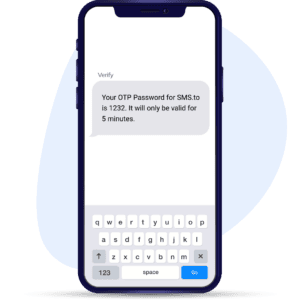
Businesses can send one-time passwords to users who opt in through WhatsApp, such as verification codes for login or authentication. Authentication templates and features like one-tap autofill authentication templates, are designed for sending codes in a standardised format.
If you offer WhatsApp login codes, design it as a formal verification flow, not as a casual support message. Have a fallback path for customers who cannot receive the code on WhatsApp.
Avoid putting account-sensitive details into chat. Keep it to the code and clear instructions.
This is one of the clearest examples where WhatsApp and SMS are not ‘either/or’. A blended approach reduces tickets.
Common Support Scenarios And The Channel That Fits Best
You do not need one channel. You need the right channel per situation.
Order And Delivery Updates
Best fit
- WhatsApp when customers often reply with questions, change delivery instructions, or need proof in chat.
- SMS notifications when the update is time-sensitive and should be seen quickly.
A practical pattern is: Send proactive shipping and delivery updates on WhatsApp for opted-in customers. Then send critical day-of-delivery alerts by SMS as a backup for high-value orders or regions with inconsistent connectivity.
Returns And Refunds
Best fit
- WhatsApp for guided troubleshooting and return instructions because it is conversational.
- SMS for short status updates like “refund processed” with a reference link.
Refund anxiety drives repeat tickets. A simple SMS notification that confirms the refund is done can close the loop, while WhatsApp handles the longer “how do I return this” journey.
Service Outages And Incident Communication
Best fit
- SMS notifications for urgent, broad alerts because of reach.
- WhatsApp for two-way support once customers start asking questions.
If a system is down, a short SMS message that tells the customer you are aware and gives an incident page link can reduce inbound volume. Then WhatsApp becomes the place for individual problem solving.
Appointment Reminders And No Show Reduction
Best fit
- WhatsApp when customers can confirm, reschedule, or ask questions in chat.
- SMS when you want a simple reminder that works on any phone.
If you run a high-volume schedule, you can treat reminders as a utility template on WhatsApp and keep SMS as a fallback for non-WhatsApp users.
Account Recovery And WhatsApp Login Help
Best fit
- WhatsApp login codes using authentication templates for customers who opted in.
- SMS notifications as the fallback for customers without WhatsApp access or without data.
Support teams often see this in tickets as “I never got the code.” Building a clear fallback reduces that ticket class.
A Decision Framework You Can Use
If you want a decision process that your team can repeat, score each channel against these five questions:
1. Can You Assume The Customer Has WhatsApp And Data At That Moment?
If you serve regions or customer types where data access is inconsistent, SMS notifications will carry more of the alert burden.
Remember that mobile subscriptions outpace mobile internet users, so “has a phone number” and “is online” are not the same thing.
2. Does The Customer Need A Conversation To Resolve The Issue?
If resolution needs questions and answers, WhatsApp is a better default because it supports two-way support naturally.
If the message is a one-time update, SMS is often enough.
3. Does The Message Need To Be Sent Outside The WhatsApp Window?
WhatsApp’s customer service window refreshes when a user messages you. If your operational reality involves sending follow-ups a day later, SMS may be simpler, or you need a template strategy on WhatsApp.
4. Is The Message About Authentication Or Login?
Treat WhatsApp login and verification as a specialised workflow, with its authentication templates for OTPs. If you cannot guarantee delivery on WhatsApp, build SMS fallback so customers do not get stuck.
5. How Sensitive Is The Content?
Keep sensitive support content minimal on both channels, but be especially cautious with SMS. Use secure links rather than sending private details in plain text. On WhatsApp, remember that while chats are encrypted, businesses may manage and store messages, so you still need strong internal controls.
Compliance To Protect Both Channels
Whether you are using WhatsApp Business or SMS notifications, trust depends on consent and opt-out. Using standard opt-out wording like STOP and act on normal language opt-out requests as well.
Even if you are not operating in the US, adopting CTIA’s Messaging Principles and Best Practices keeps your messaging cleaner.
For WhatsApp, you also need to follow the Business Messaging Policy and messaging guidelines, which govern what content and behaviours are allowed.
Support teams do not always think of themselves as “marketers,” but consent rules still apply to the messages your customers receive.
What ‘Good’ Looks Like In A Support Channel Mix
Putting all this together, a practical destination state often looks like this:
- WhatsApp Business API handles two-way support, richer post-purchase conversations, and opt-in proactive updates that customers are likely to reply to.
- SMS notifications handle time-sensitive alerts, incident messages, and fallback delivery for login codes and critical updates.
- The WhatsApp Business app supports very small teams that need a working inbox now, with quick replies, labels, and basic automation, until scale demands API workflows.
If you build around customer situations and channel rules instead of treating it as a single choice, you end up with fewer missed updates, fewer “where is my order” tickets, and fewer “I never got the code” login issues.
That is the win you want to go after. You are not picking a channel. You are building a support experience that still works when the customer is busy, offline, frustrated, or in a hurry.